Writing the actual C# code is the easy part of building software. Every junior programmer thinks finishing the last XAML view means the application is completely done. It is not. Getting a compiled piece of software out of Visual Studio and successfully published into the Apple App Store and Google Play Store is a bureaucratic nightmare.
You have to navigate cryptographic certificates, vague rejection emails from Apple reviewers, and Google policy changes that break your build pipeline overnight.
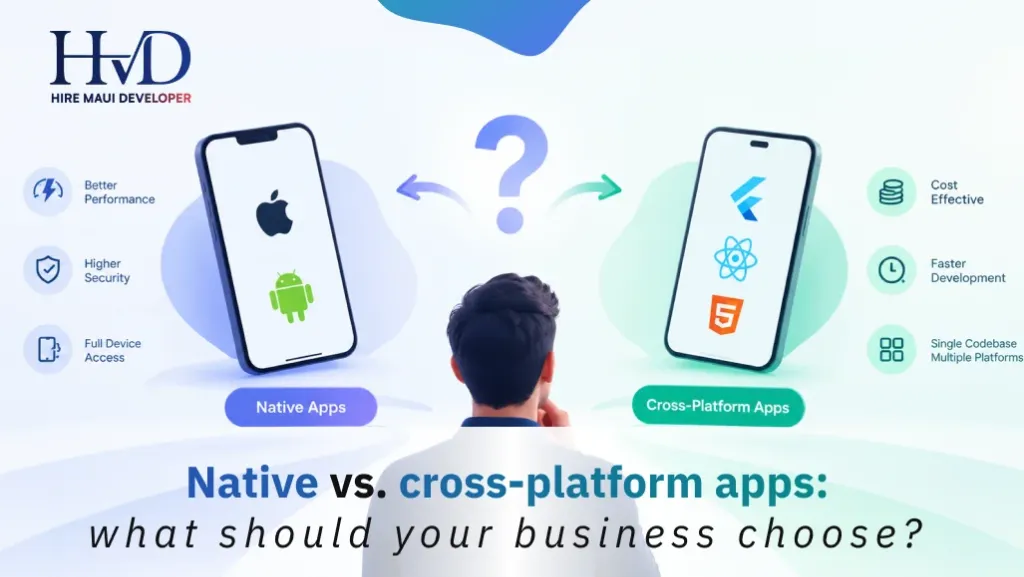
If you are evaluating native vs cross platform apps for your business, you already know that managing two separate publishing pipelines is incredibly expensive. That is the whole point of utilizing a unified framework. A single codebase saves you money. But a single codebase does not magically bypass the App Store gatekeepers. You still have to pay the toll and follow their strict deployment rules.
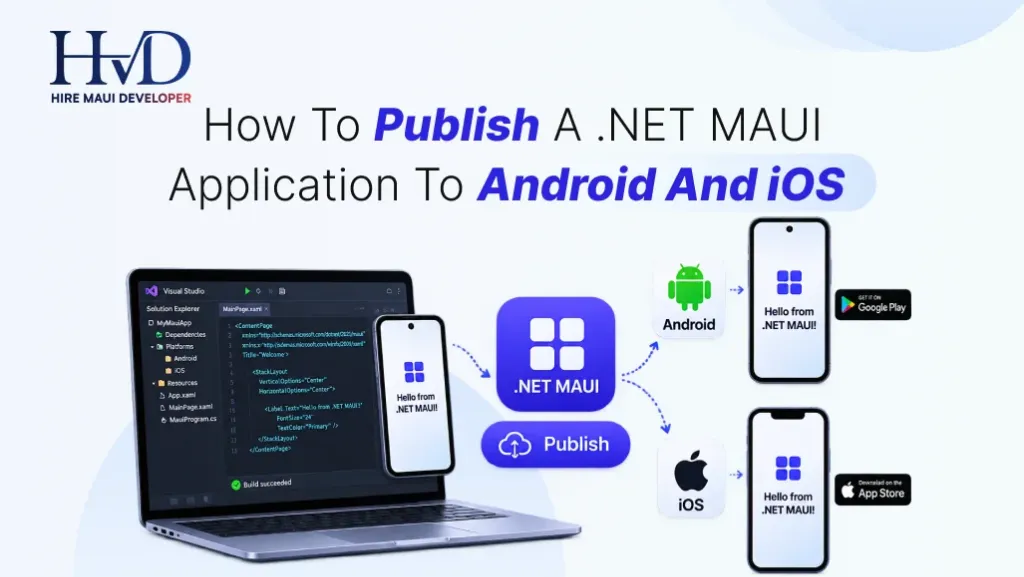
Let us walk through the exact, painful process of publishing a .NET MAUI application to both major platforms in the real world. This is not a fluffy tutorial about clicking a publish button. This is how a professional .NET MAUI app development company actually ships production software without losing their minds.
The Brutal Reality Of Apple Certificates And Provisioning Profiles
If you want to publish an iOS app, you have to play by strict Apple rules. They run a completely closed walled garden. You cannot simply compile an app and email it to your users. Every single piece of code running on an iPhone must be cryptographically signed by an approved Apple Developer account.
This process breaks more junior engineers than any complex UI layout ever will.
First, you generate a Certificate Signing Request on your Mac computer. You upload that request to the Apple Developer Portal to get a Distribution Certificate. Then you register an App ID. This Bundle Identifier must match your MAUI Info.plist configuration exactly. One single typo here and the build fails silently three hours later.
Next comes the Provisioning Profile. This specific file ties your App ID and your Distribution Certificate together. You download this profile to your Mac mini build server to authenticate the compiler.
Most tech founders try to do this themselves to save money. They end up revoking their own certificates by accident and taking down their live production app. When you partner with the best .NET MAUI app development company, the very first thing their DevOps engineers do is lock down your Apple Developer account and automate certificate management. Do not manage these certificates manually on your personal laptop. When you spill coffee on that laptop, you lose the ability to update your app forever.
Android Keystores And The Google Play Console Maze
Google used to be the easy platform for developers. Ten years ago, you could compile an APK file, throw it into the Play Console, and see it live for users in three hours.
Those days are completely gone.
Publishing an Android app today requires generating a dedicated Android Keystore. This is a secure digital file that contains the cryptographic keys used to sign your application. When you compile your .NET MAUI project for Android in Release mode, the compiler uses this keystore to sign the final .aab file.
Notice I said .aab and not .apk. Google requires Android App Bundles now. An App Bundle contains all your compiled code and raw resources, but Google Play actually generates optimized APKs for each specific user device on the server side.
Here is the absolute most critical rule of Android publishing. Never lose your original Keystore file. Never forget the Keystore password. If you lose those credentials, you can never push an update to your existing app. You will be forced to create a brand new app listing, lose all your reviews, and beg your existing users to download the new version.
When providing .NET MAUI mobile app development services to enterprise clients, we enforce strict Keystore hygiene. We encrypt the Keystore file, store it in a secure cloud vault like Azure Key Vault, and only expose it to the automated build server.

App Icons, Splash Screens, And The Assets Nightmare
Before you hit publish, your app needs to look professional on the home screen.
In the old days of dual native builds, managing images was a joke. You had to manually resize your logo into forty different dimensions for Android drawable folders and iOS asset catalogs. If marketing wanted to change the background color of the splash screen, a developer burned three hours just cropping PNG files.
MAUI fixes this beautifully. This single feature is a massive reason why business consider .net maui for modern projects.
MAUI uses a single project architecture with aggressive SVG support. You drop one high resolution SVG file into the Resources/AppIcon folder. You drop another SVG into the Resources/Splash folder. When you compile the app for release, the MAUI build engine automatically scales, crops, and generates every single necessary image resolution for both iOS and Android.
It feels like magic. But you still have to verify it visually. Sometimes a complex SVG will render slightly off center on older budget Android devices. A good developer always deploys the release build to a physical cheap Android phone just to make sure the splash screen does not look distorted.
Managing Environment Variables And API Endpoints In Production
When you publish your app, you cannot hardcode API URLs.
A massive mistake novice developers make is leaving the staging API endpoint hardcoded in the production release. Your live users end up writing real financial data to your test database.
You need strict environment management. In .NET MAUI, you use compiler directives and configuration files to swap these environments out automatically. When the compiler builds the release version, it strips out all the debugging tools and verbose logging that slows down the app. It injects the production API keys, the production Stripe keys, and the production database endpoints.
You also have to strip out the debugging symbols. A debug build contains massive amounts of metadata to help developers track crashes. If you publish a debug build to the app store, your app will be 80 megabytes larger than it needs to be and run incredibly slow. You must ensure your project builds strictly in Release mode with code linking enabled to shrink the final binary size.
Versioning Your App Without Breaking Existing Users
Version numbers are not just for marketing emails. They dictate how the App Store and Google Play handle your updates and user devices.
Every mobile app has two version metrics. The display version that users see on the screen, like version 2.1.4. And the internal build code, which is just an integer that must increase with every single upload.
If you try to upload a new binary to TestFlight with a build number of 50, but build 50 already exists in the portal, Apple will reject the upload immediately.
But versioning goes much deeper than app store rules. You have to version your local SQLite databases. If version 1 of your app stored user preferences in a simple text column, and version 2 changes that to a relational table, what happens when a user updates? If you do not write a proper database migration script, the app will crash the second they open it.
This is why hiring a custom .NET MAUI app development agency matters deeply. Professionals do not just write code for fresh installs. They write defensive upgrade paths. They assume the user is updating from a version that is three years old and ensure the local data migrates cleanly without catastrophic data loss.
Automating The Build With CI/CD Pipelines
Stop building release binaries on your local laptop. Just stop it right now.
When a developer builds an app locally, they are using their specific installed SDKs, their specific global variables, and their specific cached files. It is not a clean environment. It leads to the classic developer excuse of claiming it works perfectly on their machine when the app crashes in production.
To publish reliably at scale, you need a Continuous Integration and Continuous Deployment pipeline.
You push your C# code to a GitHub or Azure DevOps repository. That action triggers a cloud server to spin up a fresh macOS virtual machine. The server restores your NuGet packages, runs your automated unit tests, and compiles the iOS and Android binaries in a completely pristine environment.
The server then securely fetches your Apple Certificates and Android Keystore, signs the binaries, and automatically pushes them to Apple TestFlight and the Google Play Internal Testing track.
Setting this up takes deep DevOps knowledge. You need .NET MAUI developers for Android and iOS apps who understand YAML scripting, secure variable groups, and cloud provisioning. Once the pipeline is built, your team can deploy a hotfix to 50,000 users in under an hour without ever opening Visual Studio.
Surviving The App Store Review Process
Apple and Google do not care how much money you spent building your software. If you violate their guidelines, they will block your launch.
Apple reviewers are notoriously strict and manual. If your app requires a login, you must provide them with a working demo account in the App Store Connect notes. If that demo account fails to log in, they reject the app. If your app crashes on a random iPad model, they reject it. If you mention the word Android anywhere in your iOS app text, they reject it immediately.
Google relies heavily on automated bots to review apps. This is actually a worse experience for founders. A bot will flag your app for a vague metadata violation because your privacy policy URL returned a 404 error for three seconds during the scan. Getting a human on the phone at Google to fix a bot rejection is practically impossible.
You have to build defensively from day one. Your privacy policy must be bulletproof. Your data deletion request forms must be highly functional and visible. If your app uses the camera, you must write a highly specific justification string in your Info.plist explaining exactly why you need camera access.
You also have to respect the in app purchase rules. If you sell a digital service, Apple demands their thirty percent cut. You cannot just link out to a Stripe checkout web page to bypass the fee. They will catch it and ban your developer account for violating the terms of service.

Moving From Legacy Xamarin Before You Publish
We need to address legacy technical debt.
If you are trying to publish an old Xamarin app right now, you are running out of time. Apple and Google are aggressively raising their minimum API requirements. Soon, they will flat out refuse to accept binaries compiled with old Xamarin toolchains.
You have to migrate. If you are reading technical guides on xamarin forms to maui, understand that this is not a simple weekend copy and paste job. You have to rewrite custom renderers into the new MAUI Handler architecture. You have to update every single Nuget package to support .NET 8.
Do not try to publish a dirty migration. Clean up the codebase, test the new Handlers on physical devices, and then push the updated MAUI version to your existing app store listings to seamlessly transition your user base without losing your search rankings.
Do Not Attempt This Alone
Publishing an enterprise mobile application is a high stakes financial operation.
If you screw up the signing keys, push a broken database migration, or violate an Apple privacy policy, you lose users permanently. Bad reviews pile up fast in the app stores. Recovering a one star app store rating takes years of perfect execution.
You need serious engineering partners. Many founders randomly search for a .NET MAUI app development company near me hoping to find local talent, but physical geography matters significantly less than specific platform expertise. You need a team that has successfully pushed dozens of complex MAUI apps through the brutal App Store review process.
If you want a seamless deployment that scales from day one, look at a custom .net maui app development solution tailored to your specific enterprise architecture.
Build the app right. Set up the automated deployment pipelines. Secure your cryptographic keys in the cloud. And let the technical experts handle the App Store bureaucracy while you focus on actually acquiring customers and growing your business revenue.
Sarah is a veteran mobile architect specializing in enterprise .NET MAUI systems and cross-platform strategy. She has guided engineering teams across logistics, healthcare, and industrial operations to build high-performance mobile and desktop fleets.